Backups & recovery
A backup before replacement.
Your new Mac may already contain work. A migration should not quietly overwrite it and hope for the best.
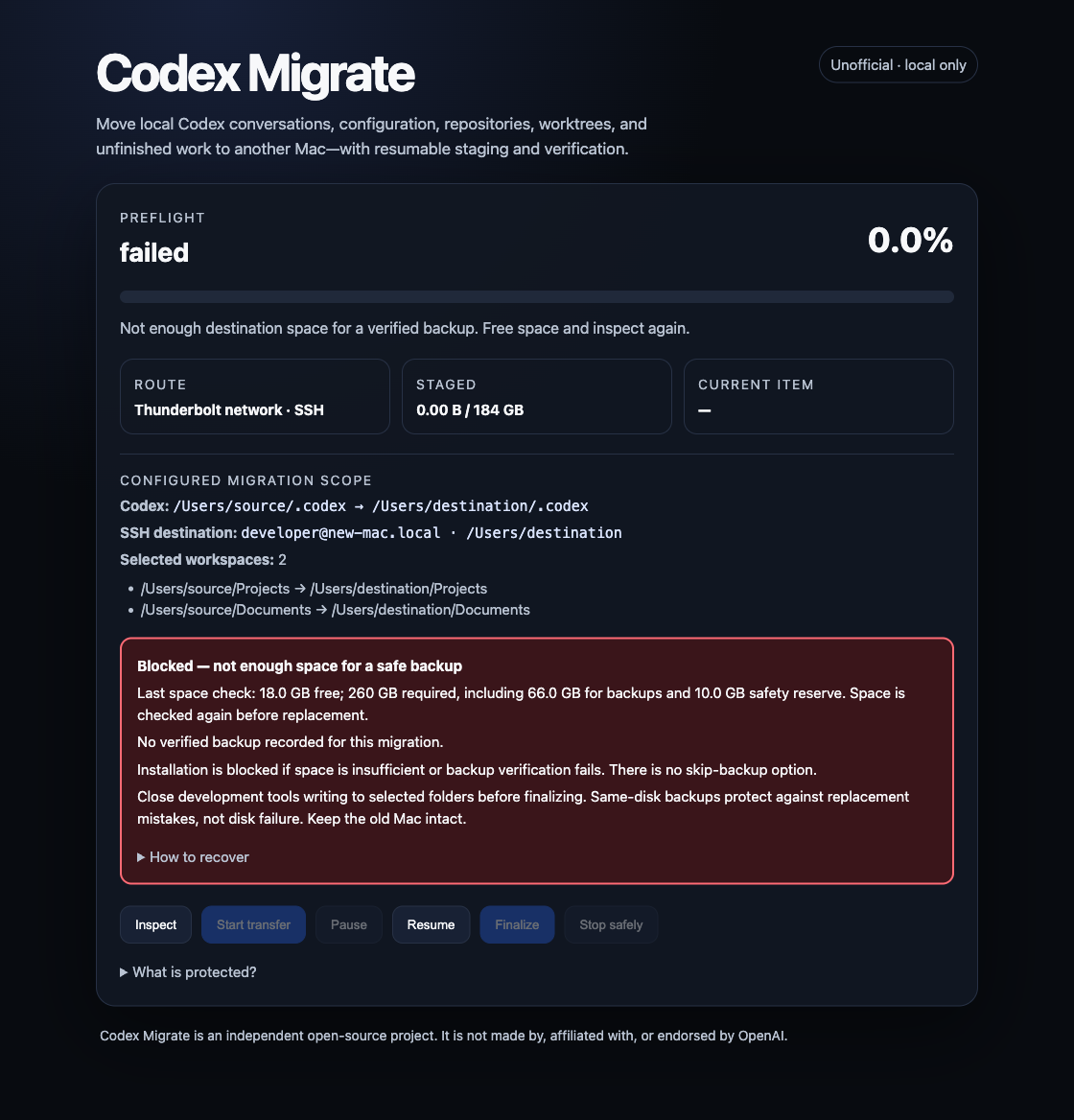
Not enough space? Installation stops.
Before replacing selected destination data, Codex Migrate measures the existing data and checks available disk space. Its estimate reserves room for a full backup plus a safety margin, even when APFS cloning may use less space.
If the required space is unavailable, installation is blocked. The dashboard shows the measured requirements and a prominent warning. There is no skip-backup switch: free space, inspect again, and retry. The current edition does not offer an external-backup destination picker.
A copy is not a verified backup
The tool creates a timestamped backup on the destination Mac, then checks file contents, directory structure, and symbolic links against the data being preserved. Only a successful verification permits replacement to proceed. A failed copy, mismatch, or insufficient remaining space stops installation.
This protection also applies to matching destination skills during a skills-only export. Other components are not replaced by a skills-only operation.
Know where to recover
The dashboard reports the backup location and verification state. The backup records which destinations it preserves and includes recovery guidance. If installation fails, retain both the staging directory and the backup. Consult the recovery instructions before retrying or restoring anything; rollback is not automatically guaranteed.
What this does not protect against
A backup on the same disk does not protect against that disk failing. It is not an atomic snapshot of every process on the machine. Close Codex and other writers to selected data before finalization. Verification does not independently prove every extended attribute, ACL, or hard-link relationship.
Keep the old Mac intact and maintain an independent backup. Test important conversations, skills, and repositories on the new Mac before treating the move as complete. No migration tool can promise zero risk.
Inspect the implementation
The migration engine is MIT licensed and available to review. The downloadable $50 Mac edition is still in development, with best-effort maintainer support planned. Neither the app nor support comes with a guarantee that every issue can be resolved.